Teracy 1.0 Release!
Creator "solitude" is beautiful. A major update where immersion meets peace of mind. 🚀
Reclaiming human presence with our "Presence Interface." In Teracy 1.0, we have redesigned the entire remote experience.
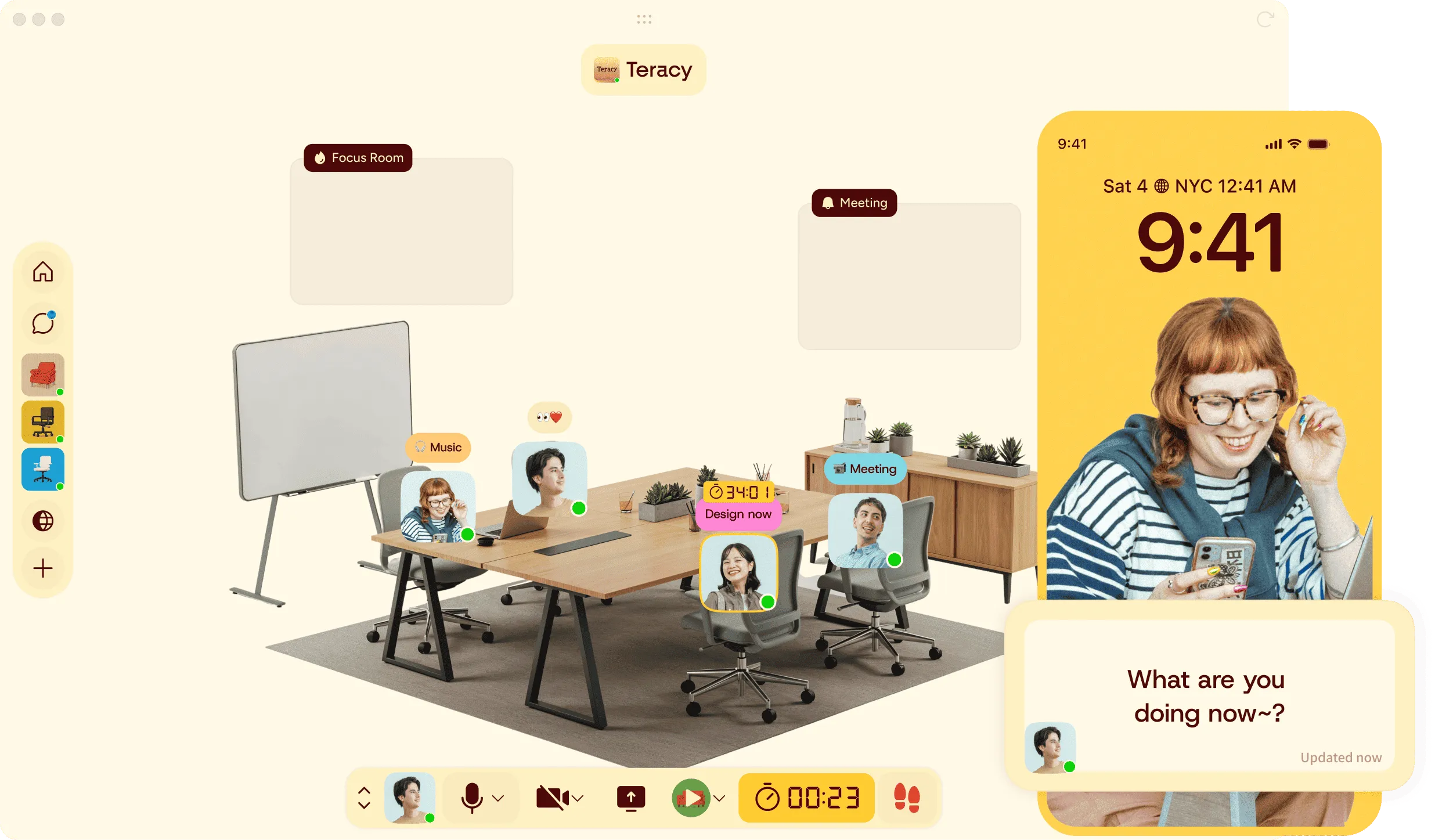
1. Feel the presence of your team: "Live Ambient Sound" 🎹🔊
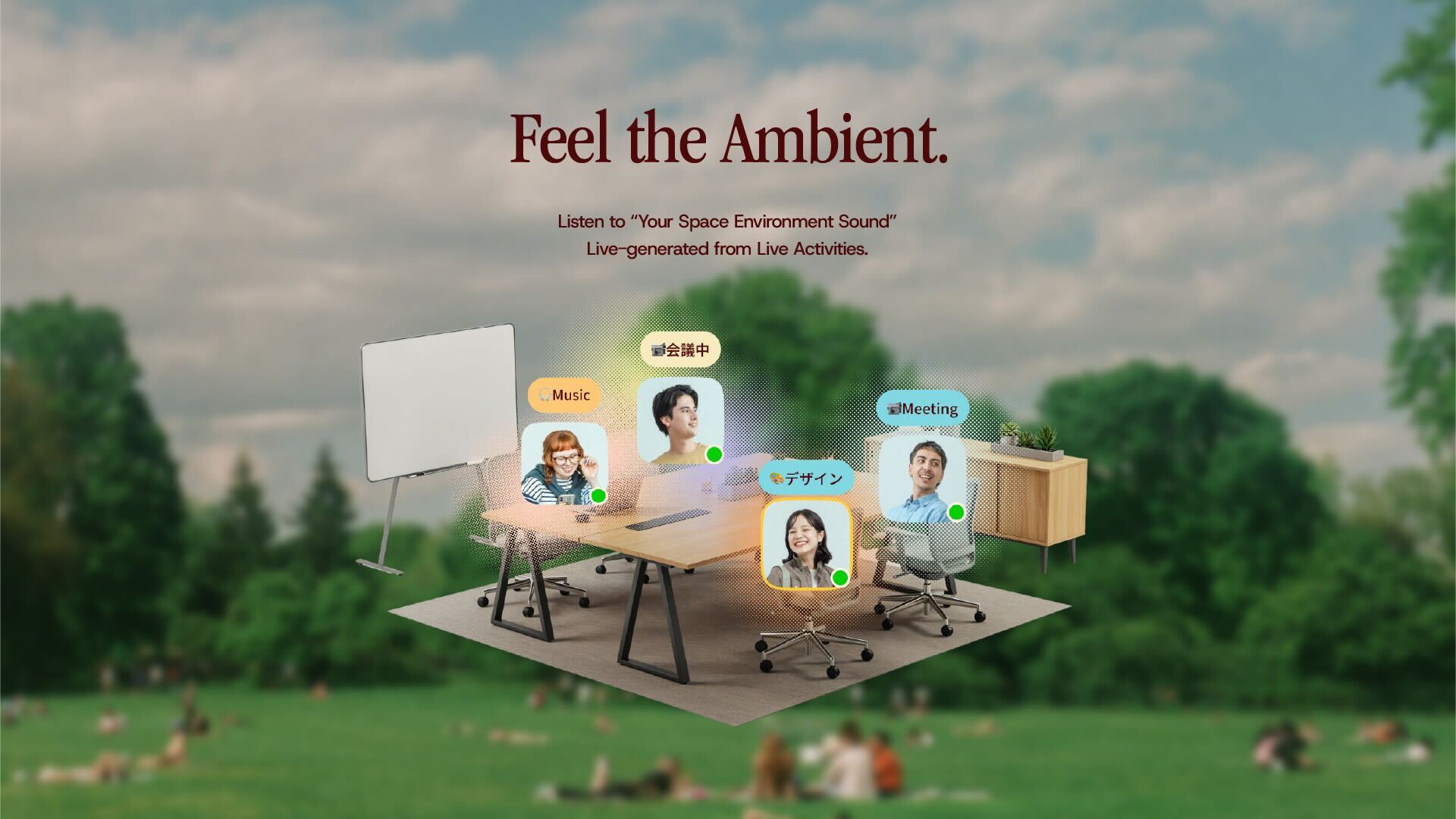
"Working alone is lonely, but I can't be on a call all the time." We created a feature to feel your team's presence through sound for moments like these.
Live Ambient Sound
Activities become BGM
With sound on, typing and page-turning sounds are generated in real-time, linked to your status.Sharing "Presence”
You can now feel your team visually and audibly, giving you the comfort of being in the same space even when apart.
2. "Collaborative Backgrounds" added to the Focus Room 🧘♂️🎨
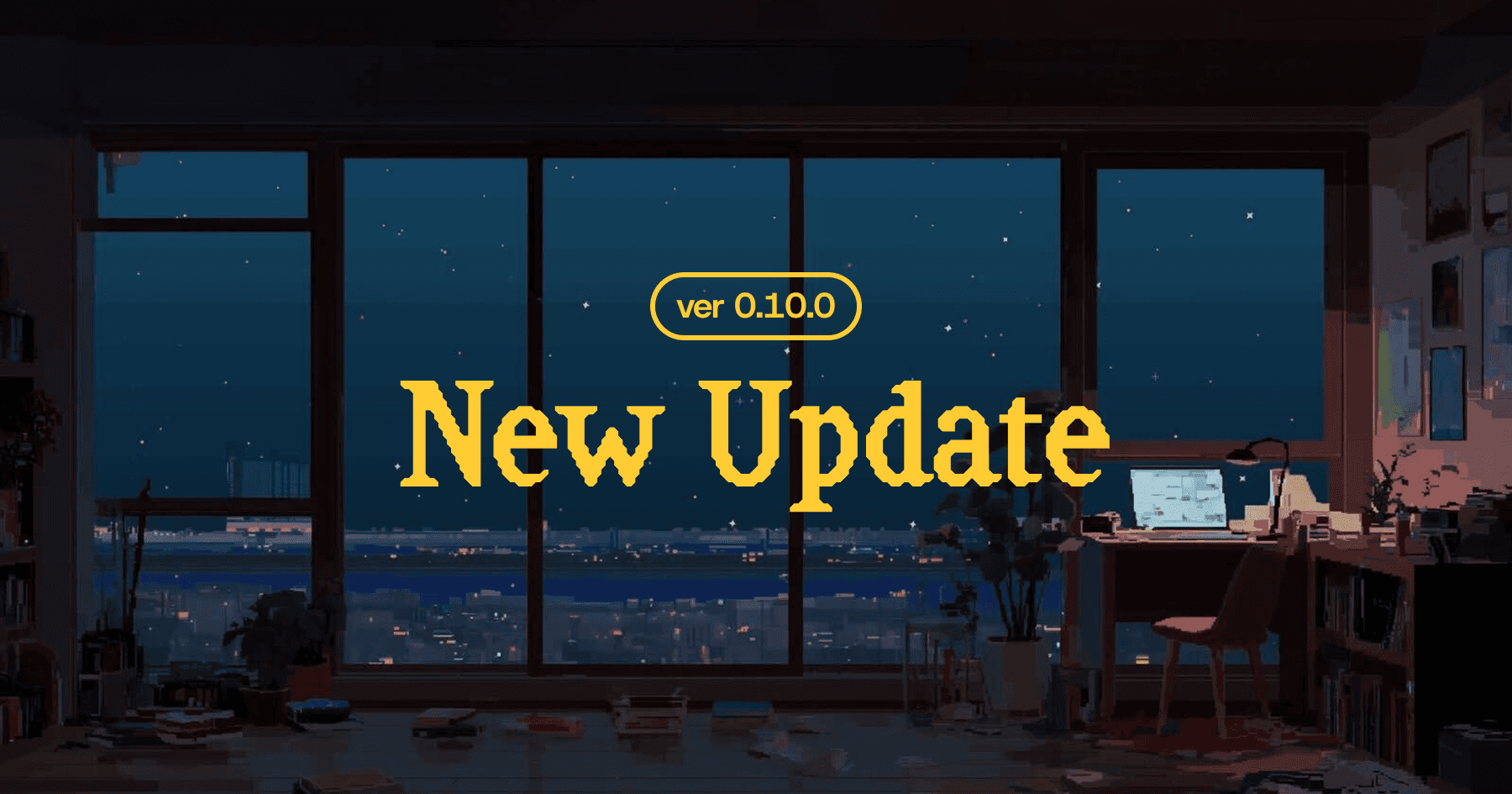
Our Focus Room, equipped with Lofi BGM and a Pomodoro timer, now features backgrounds from top artists. 🎧
"Alone Together" Creative Campaign
We adopted backgrounds from collaborations with 7 artists to create a visually immersive space.
A United Theme
The space is designed to make you feel, "I'm not the only one working hard; my team is here too.”
Focus Room
You can change the background image via the Room Settings screen.
Featured Creators:
Gaako / Illustrator & Animator
Syuju Misobata / Illustrator
Nanami Yuki / Pixel Artist
Pixel Jeff / Pixel Artist
Motocross Saito / Pixel Artist
Yusuke Shigeta / Video Artist & Director
Naoyuki Chikatani / Musician
3. Join instantly, no app needed! "Web Browser Version" is here 🌐✨
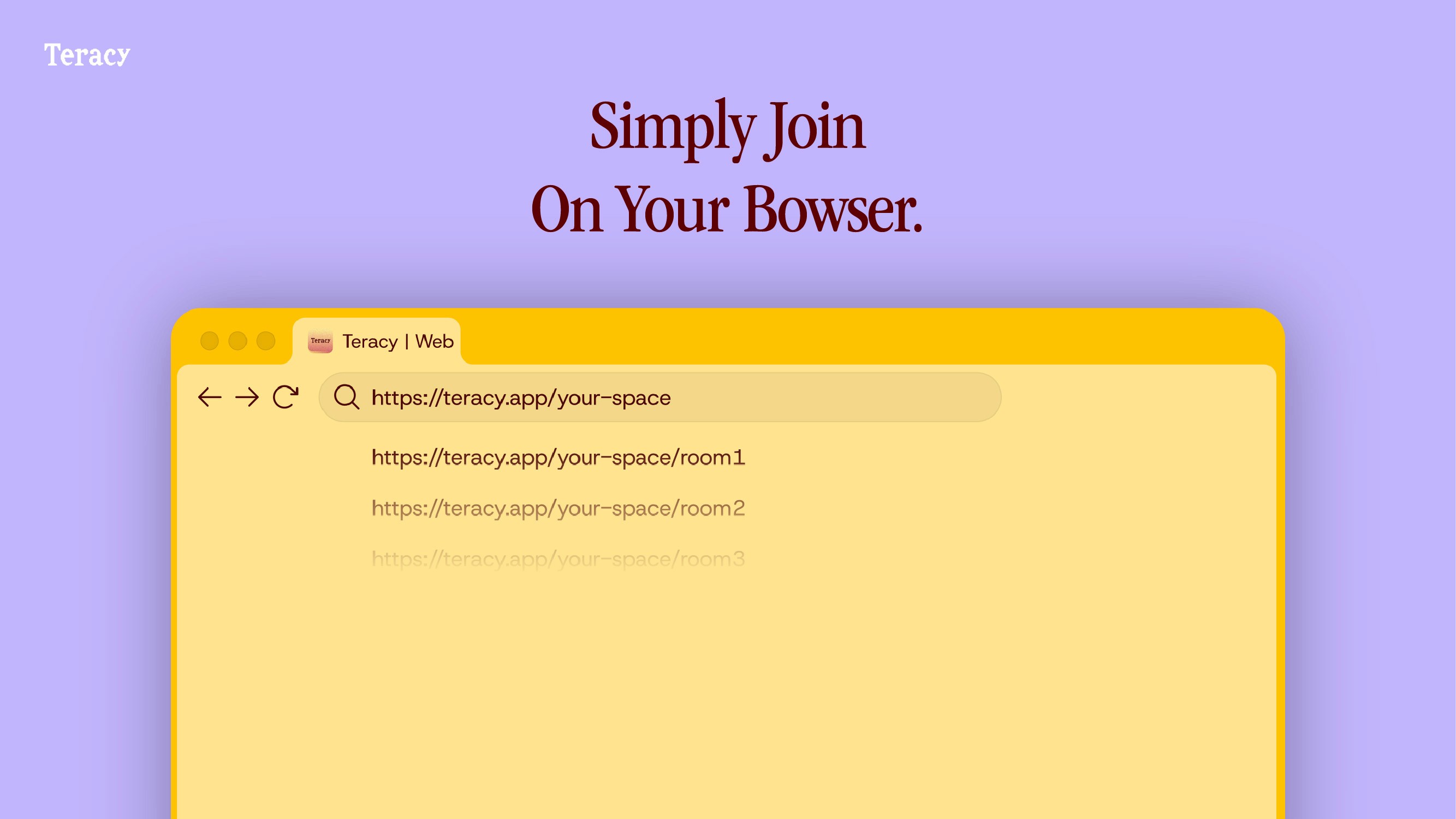
Gathering online just got easier.
Web Browser Version
No Install Required
Now compatible with PC web browsers.Instant Access
Just click a shared space URL to jump straight into Teracy.
Important: Differences Between Web and Desktop Versions
Stability & Performance
If you are experiencing instability with the Desktop app, please try the Web version, as it may offer better stability for your environment. Please note that the behavior of some features differs between the Web and Desktop versions.
Notifications
Unlike the Desktop version, receiving notifications on the Web version requires specific permissions. You must allow notifications in your browser settings and enable them for the Teracy app within the browser to receive alerts.
YouTube Music Compatibility
Some YouTube Music tracks that cannot be played on the Desktop version are available on the Web version.
Desktop-Only Features
The following features are currently exclusive to the Desktop version:
Live Status & Browser Status
Live Mode (Mini Teracy Window)
Auto-login (Note: On the Web version, you can achieve a similar experience to auto-login by pinning the Teracy tab in your browser.)
4. Meet peers in "Open Spaces" 🪐🧑🚀
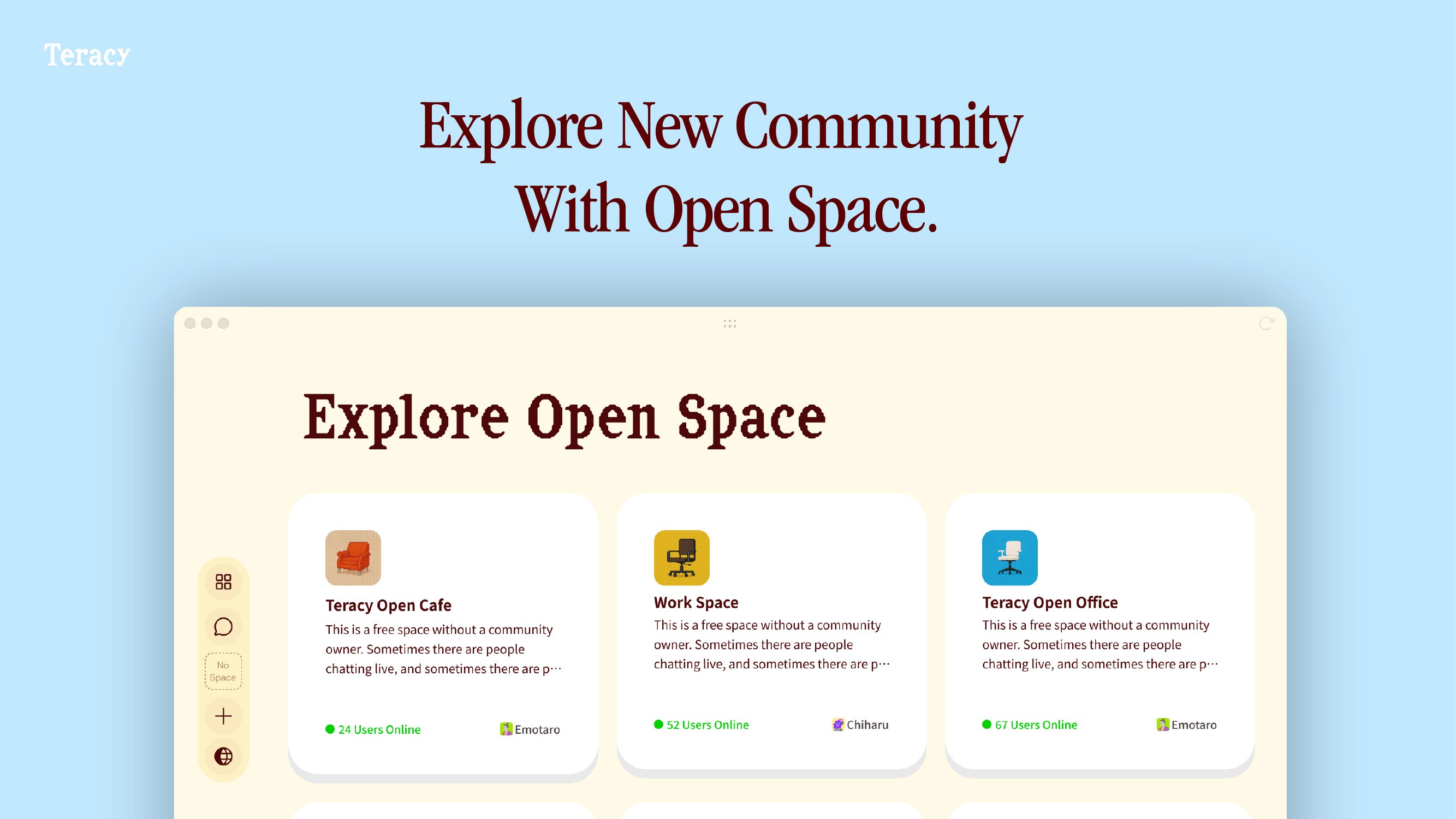
Connecting with others is now more casual.
Open Spaces
By making your space public in settings, it's easier to gather people. Explore spaces that interest you and meet new peers.
You can view currently public Open Spaces via the globe icon in the sidebar. (Spaces other than those operated by Teracy are now also visible.)
5. Communication without a reason: "Poke" 👉👥
Solved the dilemma of "I don't have business, but want to say hi" or "Want to signal someone whose timing doesn't match.”
Poke
A signal sent just by clicking an avatar. Send a casual "Good job" or "I see you" without interrupting their flow.
To prevent distraction, Pokes are designed to expire automatically after 24 hours.
6. Asynchronous Bulletin Board: "Community Feed" 📝 💬
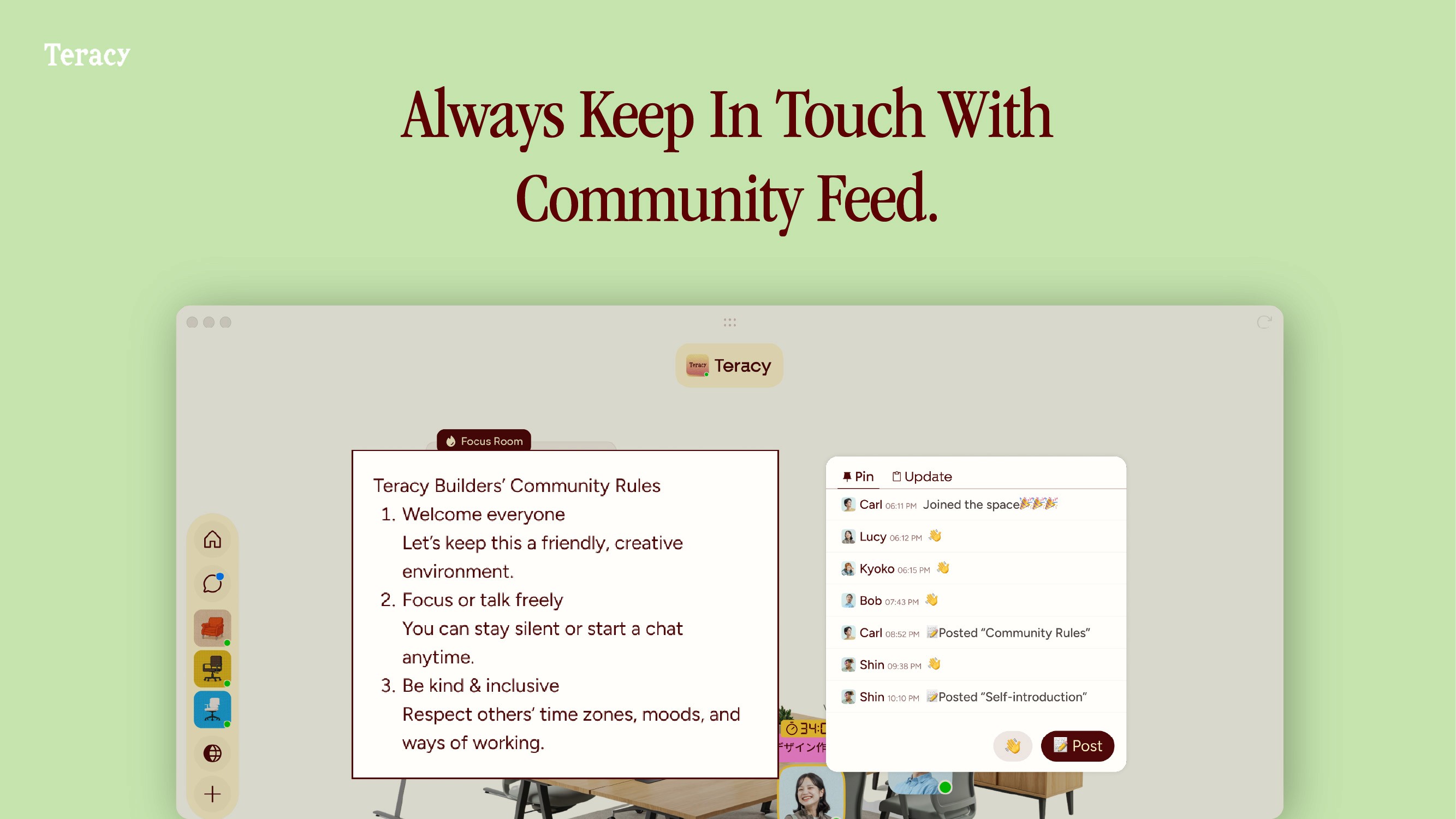
The highly requested bulletin board feature is finally here.
Community Feed
A board set up in each space. Easily welcome new members and check team movements or announcements smoothly, even asynchronously.
Items in the Updates feed will disappear from the list after a set period. Please pin important information to keep it accessible.
👋: 24 hours
📝Posts: 24 hours
🎉Welcome: 1 week
> Note: Pinned feed items will remain available in the "Pinned" tab.
7. Your space is your canvas: "Custom Backgrounds" 🖼️🖌️
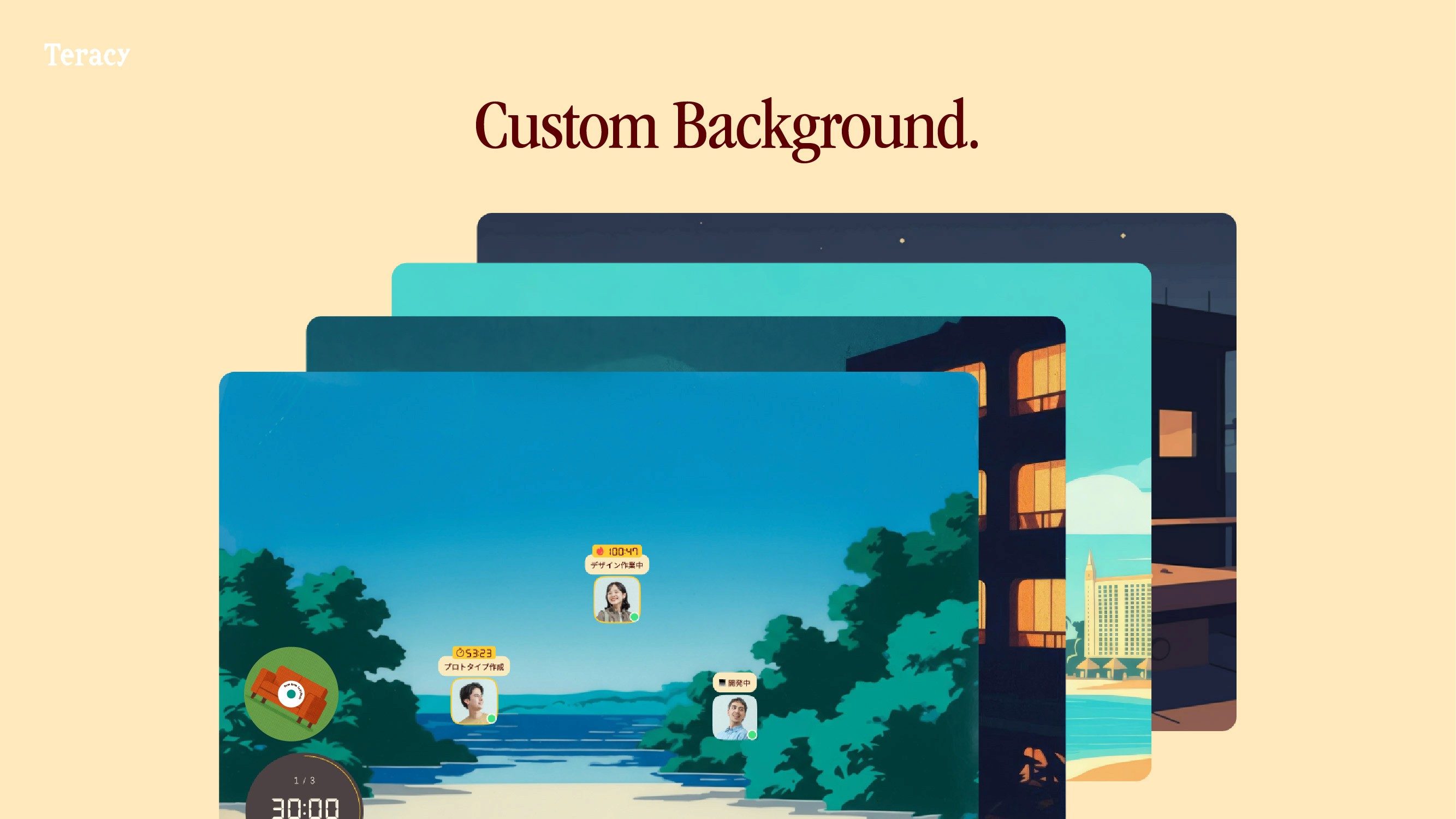
Express yourself more freely in your space.
Custom Backgrounds
Upload your favorite images as the space background. Color your ideal place exactly how you want it.
You can upload your own background image via the Space Settings screen.
8. Strong organizations, comfortable places: "Organization Feature" 🏢🤝
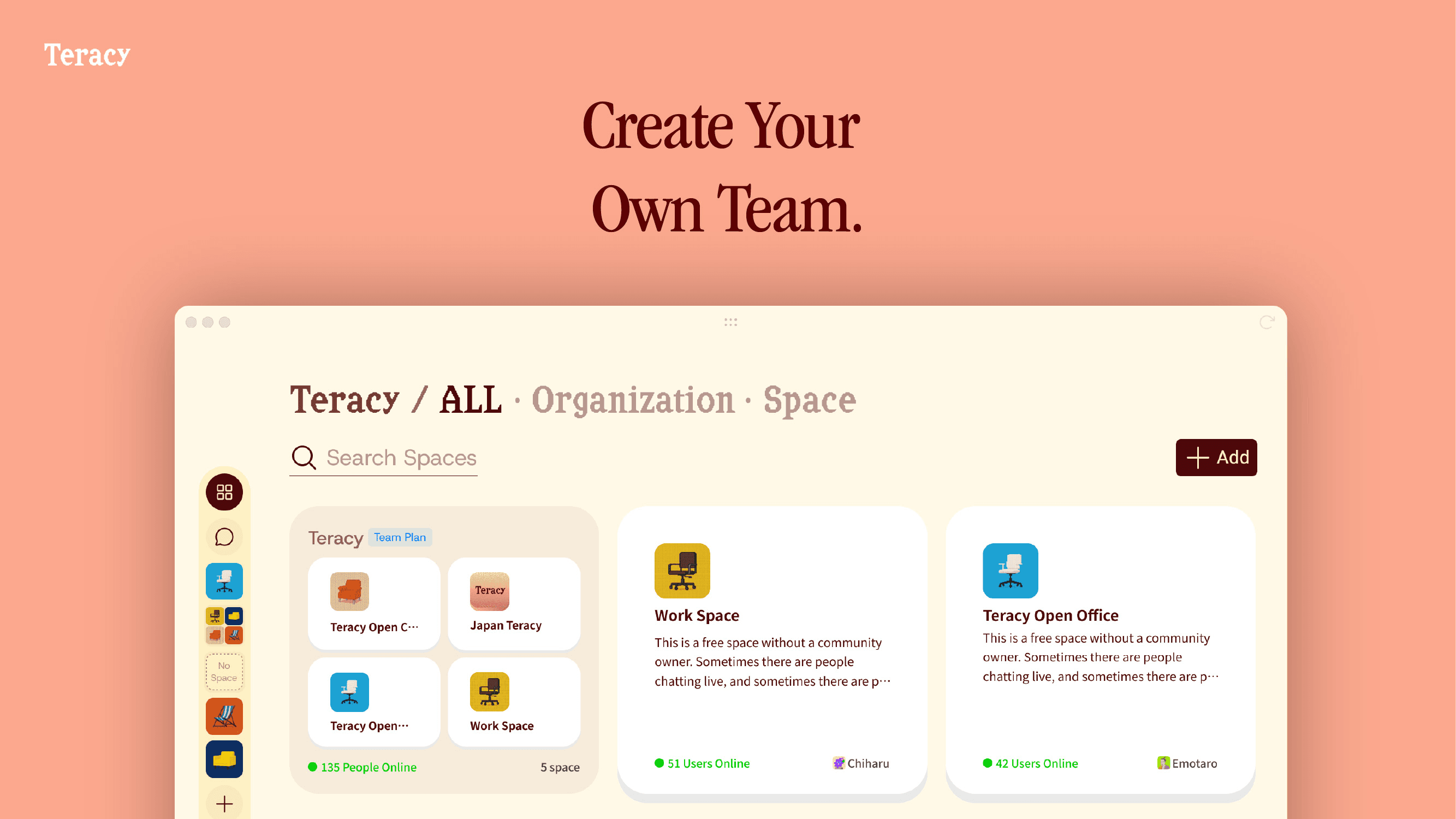
We have introduced "Organization" features designed to support teams with over 30 active users. Large teams can now collaborate seamlessly while maintaining a high level of psychological safety.
You can now group multiple Spaces under a single Organization.
[How to Use]
Add an Organization Click the "+" button in the sidebar to add a new Organization.
Add Spaces Create a new Space within the Organization, or add an existing Space you are already using.
Invite Members Invite members from the Organization Settings screen.
You can open Organization Settings by selecting the Organization on the Home screen.
Settings can also be accessed directly from the sidebar.
→ Streamlined Access: Once members are invited to the Organization, they can join any Space added to that Organization without needing individual invites. Setup is complete with just a single invitation.
> Note: Currently, once a Space is added to an Organization, it cannot be removed from the Organization unless the Space itself is deleted.
9. Experience Teracy Offline @Tokyo! 🎉
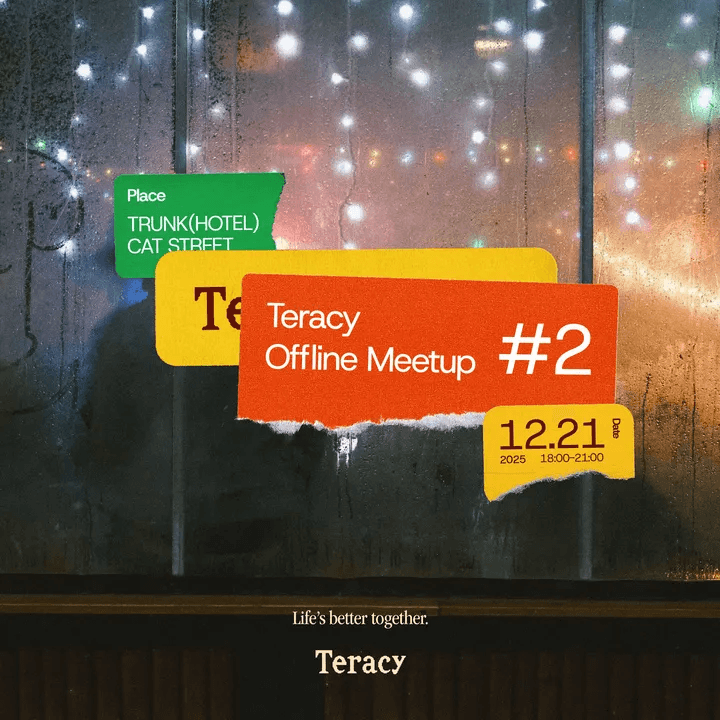
On December 21st, we are hosting our second offline event in Tokyo!
A special day for users and Teracy members to mingle. Let's enjoy wonderful encounters and a "Teracy-like time" extended into real life.
Event Overview
Date: Sunday, Dec 21, 18:00-21:00
Location: TRUNK(HOTEL) CAT STREET (5 min walk from Shibuya Station)
Fee: 3,000 JPY (Includes 2 drinks + food)
Discount coupon available for students
Cash-on for 3rd drink onwards
Who should join:
People who love Teracy
People who want to meet fellow Teracy users
Register Here: 👉 https://luma.com/75c2jd6t
If you missed our Kyoto event, don't miss this chance! 🙌
10. Teracy Official Site Renewal 🎊
The Teracy official website has a brand new design!
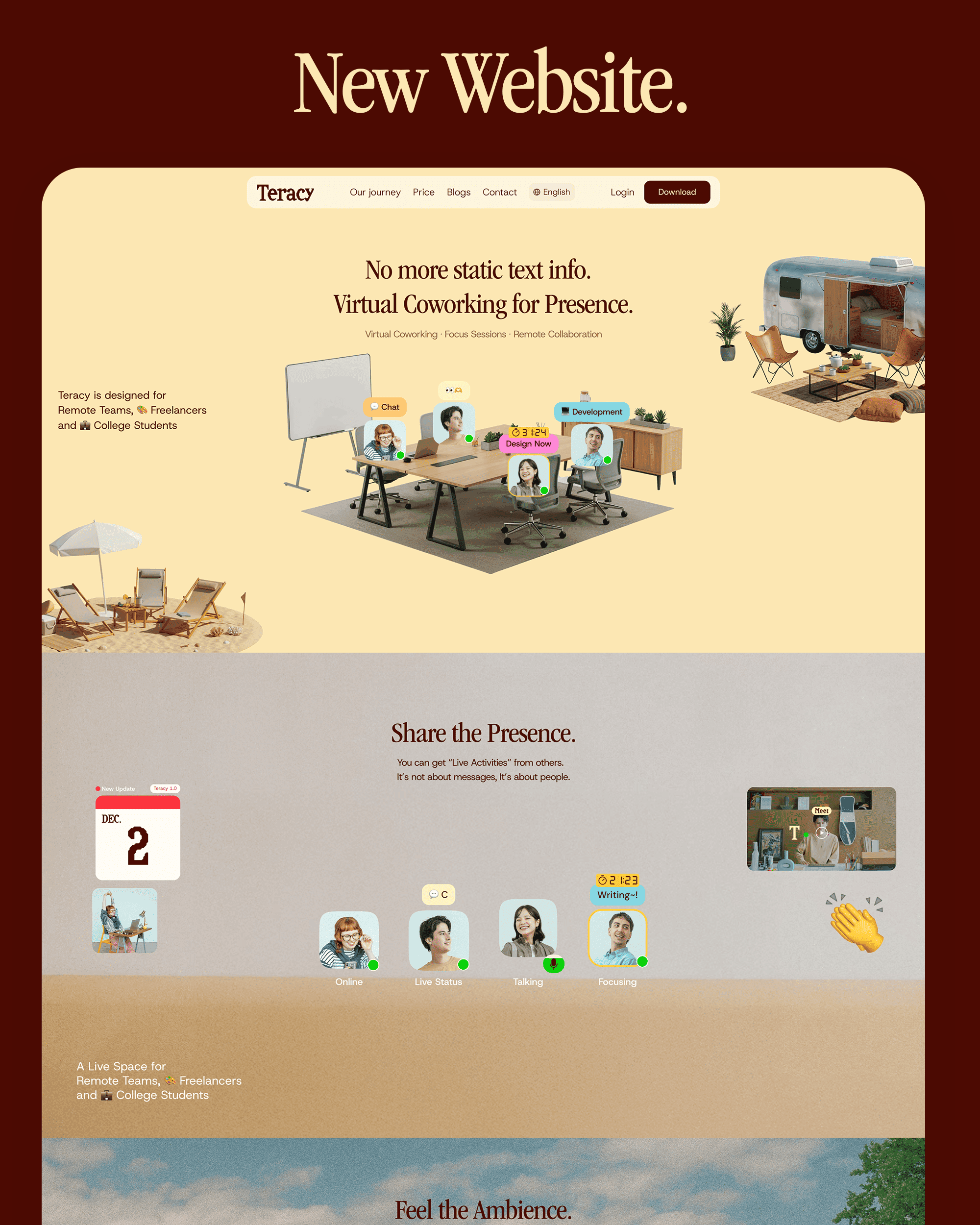
11. Space Version Update
Thank you for your patience. We have now migrated users from v1 Spaces to the new v2 version. In upcoming updates, we will be rolling out additional features, such as granting Owner permissions.
Other Improvements and Fixes🛠️
Optimized Screen Sharing 💻
To improve performance, we removed images from the application selection screen, making screen sharing faster and lighter.
Redesigned Home Screen 🏠
We have completely revamped the Home screen design for better usability.
Enhanced Background Customization 🖼️
You can now set room images as Space backgrounds. We’ve also made it easier to freely change Room backgrounds.
Revamped Signup Screen 🆕
The signup screen features a brand-new design.
Updated "Add Space" Screen ➕
The design for the screen to add new Spaces has been refreshed.
Redesigned Bottom Bar 🎨
The bottom bar (at the bottom center of the screen) has been updated with a new design.
Expanded Live Status 📡
We have added more categories to the Live Status options.
Chat List Fix 💬
Resolved an issue where the chat list would not update properly.
Invite Link Adjustments 🔗
Updated invite link specifications to support the Web version.
New Mobile Feature 📱
Added music playback functionality to the mobile version.
Background of the Release: "Solitude" and "Isolation" in Creativity
When creating or learning, creators need to dive deep within themselves. The Teracy team believes this "solitude for creation" is essential time.
However, when solitude lasts too long, anxiety creeps in, and it can turn into painful "isolation." Teracy 1.0 was developed to stay close to that solitude and eliminate isolation.
With this update, we hope your time on Teracy becomes more authentic to you and even more creative.
We will continue to make Teracy easier to use based on your feedback. Please let us know what you think!
Chiharu Asano
SHARE THIS POST
More in
What's new?